
FoilSnap: TCG Card Identifier
Next Vision LimitedTools
4.7391.00 Reviews
- Version
- 1.2.1
- Installs
- 100.00K
- Age Rating
- Everyone
Screenshots
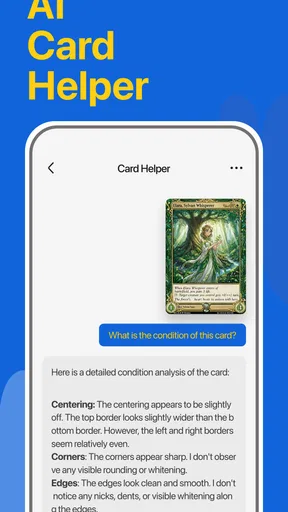
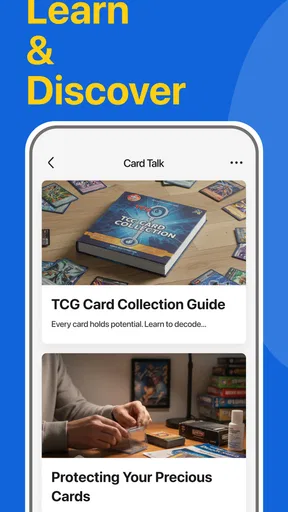

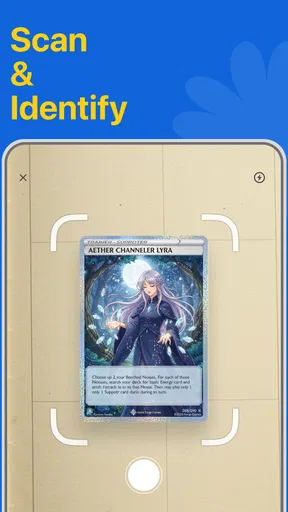
Our Review of FoilSnap: TCG Card Identifier
 Analysis by Appyee
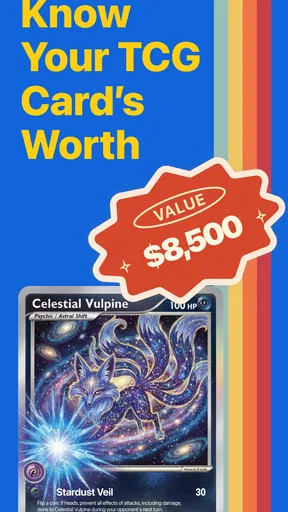
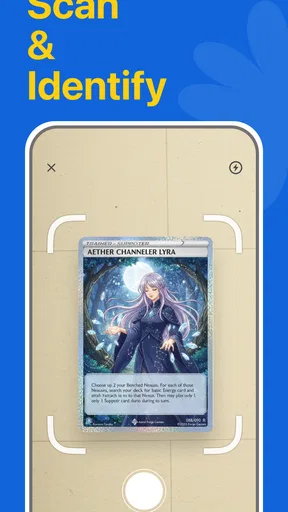
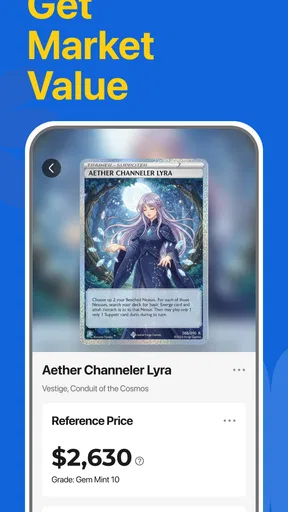
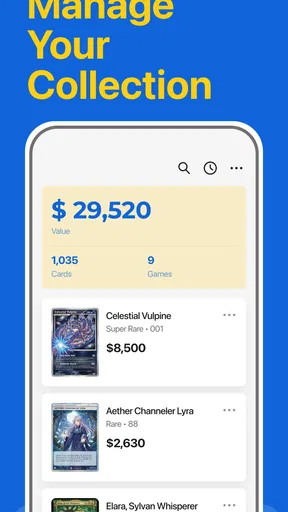
Collecting trading cards is enjoyable until the collection becomes large enough that memory, loose notes, and scattered marketplace searches stop being useful. FoilSnap: TCG Card Identifier is a free tools app from Next Vision Limited that aims to make the first part of that process easier: identifying a card, checking its market value, and keeping the collection organized. I found its appeal strongest when I wanted a quick answer about a card in front of me rather than a long manual search.
This is not an app I would treat as a complete replacement for careful research. Card condition, edition details, language, printing differences, and market movement can all affect a final valuation. What FoilSnap does well is reduce the repetitive work between finding a card and knowing what to investigate next. For a new collector, that can make a box of unfamiliar cards feel much less intimidating.
Getting from the first scan to a useful collection
Before I trust any card identifier with my collection, I want to know what choices it actually puts in my hands, not assume how it handles information behind the scenes. In this section, I look at FoilSnap’s role as a practical sorting tool and the decisions a collector should keep for themselves. That distinction matters most when a scan leads into questions about value, records, and what to do next.
What to expect before you begin
The app sits in the tools category, and that description fits its purpose. It is designed around practical card-management tasks rather than entertainment. Its store summary focuses on identifying TCG cards, finding an accurate market value, and organizing a collection. In everyday use, I would approach it as a starting point for decisions: keep a card, research it further, group it with similar cards, or record it before putting it away.
The first thing worth understanding is the difference between identification and appraisal. An identifier can help match a card to the right record, but a displayed market value should not be read as a guaranteed selling price. Two cards with the same name may differ because of set, rarity, foil treatment, language, condition, or printing. I found the app more useful when I treated its result as a reference point and then looked closely at the physical card before making a buying or selling decision.
That distinction matters especially for foil cards. Reflections can make text and symbols harder to read, while similar artwork may appear across different releases. A quick result is valuable, but it still deserves a visual check. My practical advice is to keep the card flat, make sure the important details are visible, and compare the returned identification with the card itself instead of accepting the first match automatically.
The app is free to install, although it includes in-app purchases ranging from $7.99 to $39.99 per item. That makes it easy to try the basic experience before deciding whether the paid options fit your collecting habits. I would not pay simply because I own a few cards. The value becomes easier to judge once you know how often you identify cards and whether keeping a digital inventory genuinely saves you time.
It is rated for Everyone, and the minimum operating-system requirement is version 9. That makes the app approachable for many users with compatible devices, including someone who is just starting a collection and does not want a complicated specialist setup. The current version is 1.2.1, so I would still keep expectations sensible: the useful question is whether its identification and organization workflow suits your cards, not whether it replaces every collector tool.
Setting up a manageable workflow
My preferred setup is to begin with a small, clearly defined group rather than photographing an entire collection at once. A handful of cards from one box or binder gives you enough variety to test the process without creating a large cleanup task. It also makes mistakes easier to spot. If the app identifies one card incorrectly, you can learn what detail caused confusion before moving on to hundreds of entries.
Before scanning, I would sort cards into rough groups: cards that look ordinary, cards with obvious foil or special treatment, and cards whose text or markings are difficult to read. This simple preparation is more useful than trying to force every card through the same workflow. Ordinary-looking cards can establish a baseline, while unusual cards deserve a slower check and perhaps a second look.
Lighting is another small but important part of the process. A shiny surface can hide the name, set symbol, or collector number under glare. I found it better to use even light and change the angle slightly than to rely on a bright reflection that makes the card look clearer to the eye but less readable to the camera. Keeping the card inside a sleeve may also affect visibility, so if the result seems strange, compare the same card without visual obstruction where practical and safe.
Do not mix identification with final organization too early. First confirm that the card record looks right; then decide where it belongs in your collection. This two-step habit prevents a wrong match from becoming a wrong entry that you later have to untangle. It is particularly helpful when several cards share artwork, names, or similar layouts.
A useful starting routine is to keep a physical pile for cards that need review. When FoilSnap returns a result that seems uncertain, place that card in the review pile instead of interrupting the whole session. Later, you can compare its details with the app’s result and make a more deliberate choice. This keeps the scanning session moving while preserving the cards that need attention.
The first meaningful success
The first successful action should not be scanning the rarest card you own. I would choose a card with readable text, a visible design, and details you already understand reasonably well. That gives you a control example. If the app recognizes it correctly and presents a sensible market reference, you learn the basic rhythm without the emotional pressure of wondering whether a valuable card has been missed.
Once the card is identified, pause before moving on. Check the name, artwork, set information, and any visible rarity or printing details against the physical card. This is the point where the app becomes more than a camera shortcut: it gives you a candidate record, and you provide the collector’s judgment. That habit is one of the best ways to avoid building a neat-looking collection filled with inaccurate entries.
After confirming the match, organize the card immediately while you still remember why it belongs in that group. You might sort by set, personal collecting goal, cards to trade, or cards needing further inspection. The best category is the one that answers a real question you ask often. If you regularly wonder what you own from a particular release, organize around that. If you mainly trade duplicates, a trade-focused group may be more useful than a strict chronological arrangement.
Here is a realistic everyday use case. Imagine opening a small stack after buying cards at a local event. Instead of leaving them in a drawer, I would identify the straightforward cards first, record the ones I want to keep, and separate anything whose value or edition needs checking. The next time I visit a trade table, I have a clearer idea of what is already in my collection and which duplicates are worth discussing. The benefit is not just speed; it is reducing the chance that a card disappears into an untracked pile.
Another useful routine is photographing or identifying cards as part of unpacking rather than waiting for a large backlog. A large backlog feels like administration, while a few cards after each purchase is easier to maintain. If you use the app this way, the collection feature has a practical role: it turns identification into an ongoing habit instead of a one-time cleanup project.
Where new users may become confused
The most likely confusion is assuming that market value is fixed. It is not. A value shown in an app should be understood as a market reference, not a promise that a buyer will pay that amount for your exact copy. Condition is especially important. A near-mint card, a played card, and a card with surface damage can have very different outcomes even when their identity is the same.
Foil treatment can create another problem. A card may be recognized by its broad identity while a special version, parallel, or printing detail still needs your attention. If the displayed record looks almost right but not completely right, do not organize it as confirmed. Put it aside, inspect the small markings, and compare the result again. This extra minute is worthwhile when the card is valuable or when you are preparing a trade.
Camera-based identification also depends on presentation. Cropped edges, shadows, glare, protective sleeves, and an unreadable corner can all make a card harder to match. If a scan fails, I would change one factor at a time: improve the light, flatten the card, adjust the angle, or remove visual obstruction. Randomly repeating the same scan rarely teaches you anything.
There is also a trade-off between speed and accuracy. Scanning quickly is convenient for common cards, but high-value cards deserve a slower confirmation process. I would use FoilSnap aggressively for sorting and cautiously for pricing. That balance lets the app save time without turning an automated result into a financial assumption.
Some collectors may wonder whether the app is suitable for a complete collection. It can be useful for building one, but the answer depends on how much detail you require. If you only need identification, a value reference, and a way to keep track of cards, its purpose is clear. If you need highly specialized condition grading, detailed sales history, advanced inventory fields, or a workflow built around professional buying and selling, a dedicated collection platform may be a better fit.
The paid options are another point to consider. Since the app is free to start, I would first test it with cards from different sets and finishes. Pay attention to whether the identification is reliable enough for your collection and whether the organization tools match your habits. A paid purchase makes more sense for someone who repeatedly processes cards, not for a casual user who checks one card every few months.
How it compares with the usual alternatives
The usual alternative is manual searching. You type the card name into a marketplace or search engine, compare images, inspect set symbols, and try to find a price that matches the same version. Manual research remains important for unusual cards because it lets you inspect several listings and notice condition differences. Its weakness is the time it takes, especially when you have a box full of cards with unfamiliar names.
FoilSnap’s advantage is the first pass. It can make a pile searchable without requiring you to know the correct spelling or set beforehand. That is especially helpful for beginners and for collectors returning to the hobby after a long break. Instead of asking, “What is this card called?” you can begin with a visual identification and then verify the details.
A spreadsheet is another common alternative. Spreadsheets are flexible and can be customized for purchase cost, condition, storage location, trade status, or personal notes. They are often better when you want complete control over fields and calculations. FoilSnap is more convenient at the identification stage, while a spreadsheet may win later for detailed accounting. Using both can be sensible: identify and organize the card in the app, then record extra financial or storage information elsewhere if you need it.
Dedicated collection apps may offer deeper catalog features, but they can also require more setup and more manual correction. FoilSnap feels better suited to the moment when a card is in your hand and you want to turn uncertainty into a useful record quickly. I would choose it over a complex catalog for initial sorting, but I would not assume it covers every need of a serious dealer or condition-focused collector.
Small habits that improve the results
My first tip is to create a verification threshold. For ordinary cards, a matching name and artwork may be enough to continue. For a card that you might sell, trade, or insure, require a closer match of set and printing details before accepting it. This prevents the app from making the decision for you while still allowing it to handle the repetitive part.
My second tip is to separate “collection value” from “selling value” in your thinking. The app’s market reference can tell you which cards deserve attention, but your personal collection may include cards that are valuable emotionally rather than financially. Organizing those cards together can make your inventory more meaningful than sorting everything strictly by price.
My third tip is to use uncertainty as a sorting tool. A card that produces a questionable result is not merely a failed scan; it may be exactly the card that deserves closer inspection. Keep those cards together and review them when you have better lighting and more time. This is more efficient than repeatedly breaking your rhythm every time the app encounters an unusual finish.
My fourth tip is to process duplicates consistently. If you have several copies, identify one carefully first and then compare the others for differences rather than assuming they are identical. Small printing or condition changes can matter. The app can speed up the initial comparison, but a collector’s eye is still needed before grouping copies as interchangeable.
Who should use it, and who should skip it
I would recommend FoilSnap to a beginner who has inherited cards, bought mixed lots, or wants a simple way to understand what is in a binder. It is also useful for casual collectors who regularly attend trades and need a faster way to turn loose cards into an organized record. Its free entry point makes experimentation straightforward, while the Everyone rating keeps the app accessible for general household use.
It can also help an experienced collector during the early stages of a sorting project. Even if you already know how to research cards manually, an identifier can reduce repetitive typing and help create a first-pass inventory. The greatest time saving comes when the cards are numerous but not individually important enough to justify a long research session.
I would skip it if your only goal is a guaranteed sale price. No identifier can remove the need to check condition, version, demand, and the actual buyer’s market. I would also look elsewhere if you need a highly specialized database for professional inventory management or if your collection depends on fields that the app’s straightforward workflow does not cover for you.
My recommendation after using the workflow
FoilSnap succeeds when used as a bridge between a physical card and a better-organized collection. Its strongest moment is the first pass: identify a card, get a useful market reference, and decide what deserves further attention. I like that this approach addresses a real beginner problem without requiring the user to understand every catalog convention before starting.
The right way to use it is deliberately simple. Begin with a small group, choose an easy card as your test, confirm the returned details, organize it immediately, and reserve questionable cards for a slower review. Do not confuse a quick market reference with a final appraisal, and do not let a polished collection hide unverified matches.
With an average rating of 4.7 from around twenty-two thousand ratings and more than one hundred thousand installs, the app has attracted substantial interest for a focused card tool. Those figures do not replace personal testing, but they do suggest that the concept is connecting with collectors. I would judge it by the time it saves in your own routine, especially before considering an in-app purchase.
My final view is positive, with a clear boundary: this is a practical first-step companion, not a complete professional valuation system. If you want a friendlier way to identify unfamiliar TCG cards and begin organizing them, I think it is worth trying. If you need exact condition-based pricing or advanced inventory control, use it as one part of a wider process rather than your only source of truth.
Verdict
Strengths of FoilSnap: TCG Card Identifier
- Quickly identifies many trading cards using a phone camera.
- Useful for checking card details while sorting or browsing collections.
- Can help estimate values and track cards more efficiently.
- Simple interface makes it approachable for new collectors.
- Helpful companion for organizing a growing TCG collection.
Limitations of FoilSnap: TCG Card Identifier
- Recognition may fail with glare, sleeves, or poorly lit cards.
- Estimated prices can vary by market and may not be fully current.
- Rare, foreign, or newly released cards may be harder to identify.
- Some features may require an account or paid access.
- Camera-based scanning can use noticeable battery during long sessions.
Other Releases by Next Vision Limited
View All
Rock Identifier: Stone ID
Lifestyle4.5

CoinSnap - Coin Identifier
Tools4.6

Picture Insect: Bug Identifier
Education4.3

Picture Mushroom - Mushroom ID
Education4.1
Similar Picks in This Category
View All
Google LLC4.0

Gboard - the Google Keyboard
Google LLC4.5

Google Play services
Google LLC4.3

Google Play Store
Google LLC4.9

Files by Google
Google LLC4.5

SHAREit: Transfer, Share Files
Smart Media4U Technology Pte.Ltd.4.3
Frequently Asked Questions
What is FoilSnap: TCG Card Identifier used for?
FoilSnap: TCG Card Identifier is designed to help trading card enthusiasts recognize and catalog cards using a phone’s camera. It can be useful when sorting a collection, checking card details, or creating a quick inventory. After testing the app, its main appeal is convenience: instead of searching manually through long card lists, you can scan a card and review the information provided by the app.
How accurately does FoilSnap identify trading cards?
The app can make card identification much faster, but results may depend on lighting, camera focus, card condition, and how clearly the artwork and text are visible. Foil cards, alternate artwork, promotional releases, and similar printings may require extra verification. I recommend checking the displayed name, set, number, and edition before relying on a scan for pricing, trading, or collection management.
Does FoilSnap: TCG Card Identifier work with every trading card game?
Support can vary depending on the card game and the database used by the application. It may recognize cards from selected popular TCGs, but users should not assume that every game, language, expansion, or regional printing is included. Before downloading, check the current app description and supported-game information, especially if your collection contains older sets, niche games, or cards with multiple international versions.
Can FoilSnap provide accurate card prices and market values?
Identification and pricing are not always the same thing. If FoilSnap displays market information, values may change frequently according to condition, demand, language, edition, seller location, and recent sales. Treat any price shown as an estimate rather than a guaranteed buying or selling figure. For valuable cards, compare the result with reputable marketplaces and verify the exact printing and condition manually.
Is FoilSnap: TCG Card Identifier free to download and safe to use?
The app’s download availability, free features, subscriptions, advertisements, and optional purchases may differ between Android and iOS or change through updates. Review the store listing carefully before installing, particularly the privacy information and permissions requested for camera access. A camera permission is expected for scanning, but users should still understand how images and collection data are handled before uploading or saving personal information.
